by Frazer 👁 263 views
📷 Download as PNG

Potion of Smokeveil Breath

๐Ÿงช Potion (breath-smoke) Uncommon

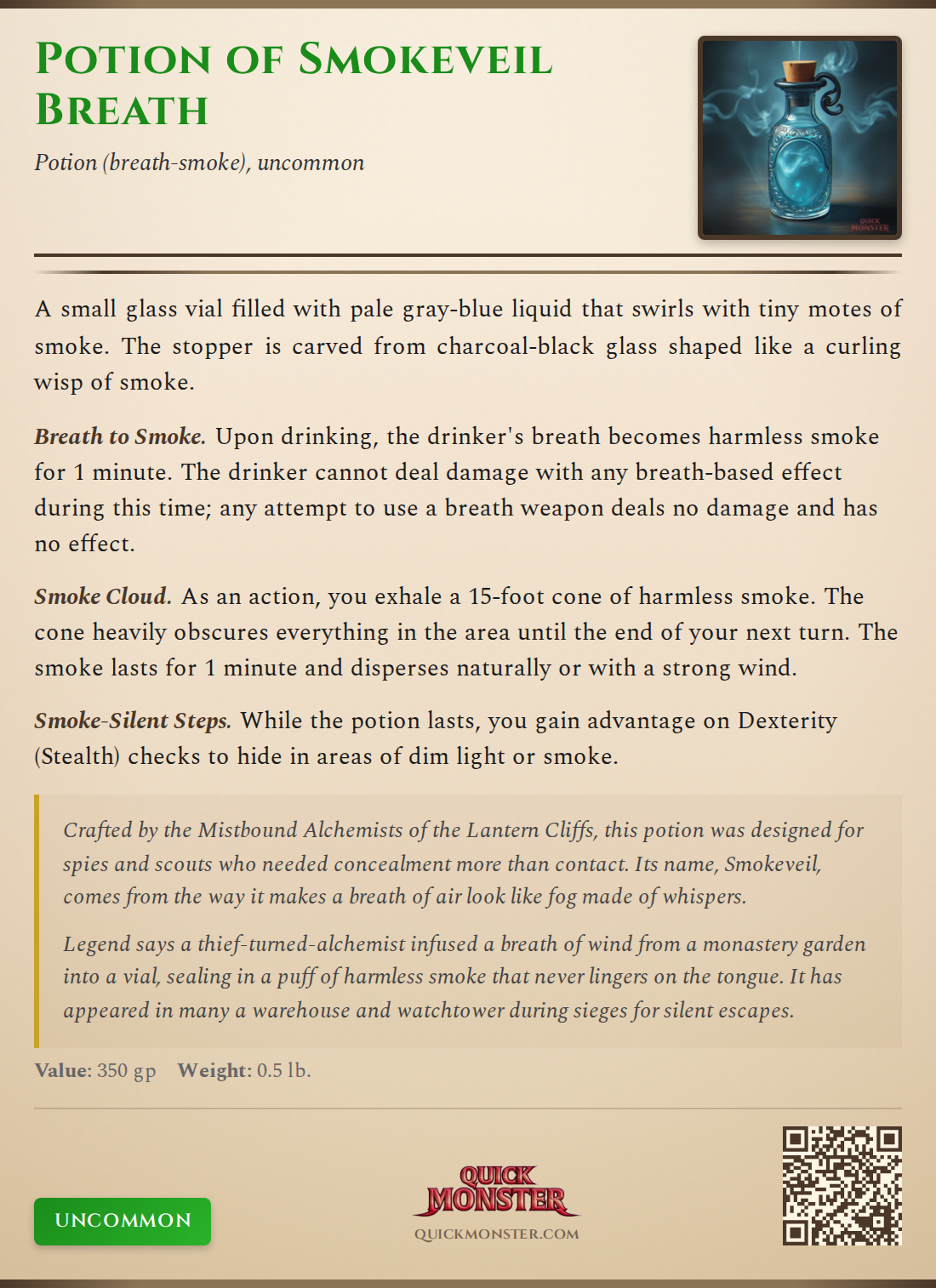
A small glass vial filled with pale gray-blue liquid that swirls with tiny motes of smoke. The stopper is carved from charcoal-black glass shaped like a curling wisp of smoke.

Breath to Smoke Upon drinking, the drinker's breath becomes harmless smoke for 1 minute. The drinker cannot deal damage with any breath-based effect during this time; any attempt to use a breath weapon deals no damage and has no effect.
Smoke Cloud As an action, you exhale a 15-foot cone of harmless smoke. The cone heavily obscures everything in the area until the end of your next turn. The smoke lasts for 1 minute and disperses naturally or with a strong wind.
Smoke-Silent Steps While the potion lasts, you gain advantage on Dexterity (Stealth) checks to hide in areas of dim light or smoke.

Lore

Crafted by the Mistbound Alchemists of the Lantern Cliffs, this potion was designed for spies and scouts who needed concealment more than contact. Its name, Smokeveil, comes from the way it makes a breath of air look like fog made of whispers.

History

Legend says a thief-turned-alchemist infused a breath of wind from a monastery garden into a vial, sealing in a puff of harmless smoke that never lingers on the tongue. It has appeared in many a warehouse and watchtower during sieges for silent escapes.

Created by Frazer 👁 263 views

📷 Export as Image

Share your item as a beautiful PNG image styled like classic D&D sourcebooks.
📥 Download PNG
Potion of Smokeveil Breath Item Card

Includes: Full item details, item image (if selected), rarity badge, and QuickMonster branding with QR code.

Resolution: High-quality PNG at 2x scale for crisp display on any device.

🔌

Chrome Extension Required

To export Potion of Smokeveil Breath to D&D Beyond, you need the QuickMonster browser extension. It auto-fills the homebrew creator with stats, properties, and images.

1
Install the Extension

Get QuickMonster to D&D Beyond Export from the Chrome Web Store.

2
Refresh This Page

After installing, refresh and click the export button again.

🔌 Get Chrome Extension